

Your first prompt sets the ceiling. How I go from concept → coded prototype in hours.
A practical system for structured prompts that turns failures into compounding outcomes.
This is Part II of my series turning my Friends of Figma Talk into helpful tips for getting started with AI in your design workflow. In Part I, I shared tips on how to better articulate your unique POV and taste.
This post is about what happens next: when you want to take an idea and turn it into something real. A prototype. Something you can poke. Something that could ship to production.
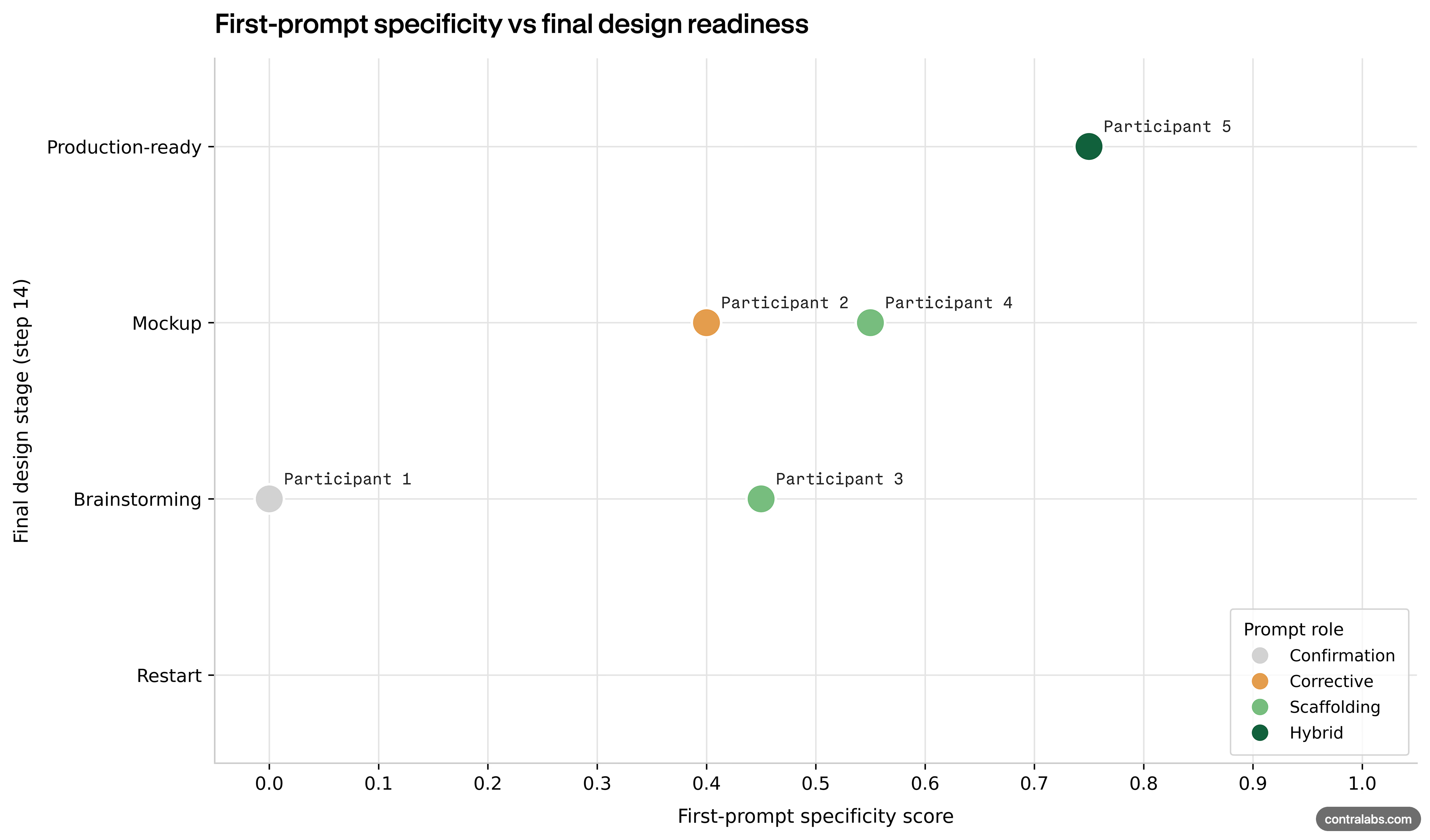
A recent study by Contra Labs found that when a designer provides a structured brief to Claude, the output is significantly more production ready and easier to refine. When you start vague and then iterate, the quality will continue to drop.
The first prompt is the ceiling of the output quality.
So it pays to take time to collect context, plan and write out a structured prompt as a starting point. It means the best “AI hack” is… writing a better brief.
So this is the workflow I use to go from concept → coded prototype in a few hours, without burning half my day on “nooooooo not like that”.
Slow AI down before it starts being “helpful”
AI wants to be helpful. That sounds like a good thing, but in practice it means it rushes to action, makes a bunch of assumptions, often leaving a trail of destruction in its wake.
My workflow has become these three moves:
Write a brief
Plan mode first always
Turn failures into rules
Writing the brief
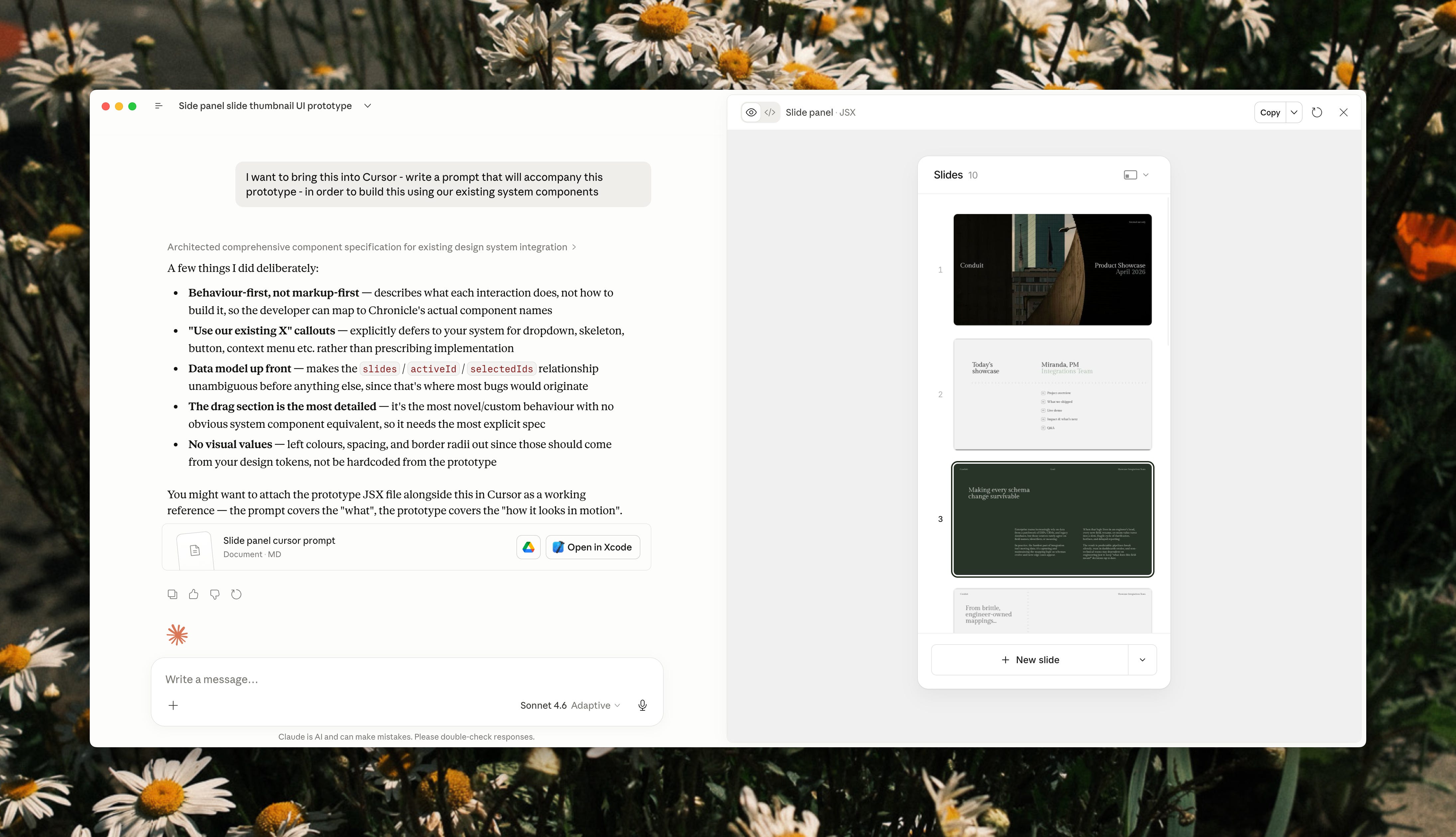
I start a lot of explorations in Figma, because my brain needs an infinite messy canvas first. From there I’ll take a concept design and paste it into Claude (connected to Figma MCP). And instead of saying “build this”, I ask it to help me turn the design into a structured brief for the builder model.
A good question to ask:
“What do you need from me to do a better job?”
I found that asking the model to ask you a series of questions before kicking off, means that I can feel more confidence in what it’s doing. It stops it from jumping straight into assumption-led implementation, because it has to pull the missing context out of your head first.
Speaking out loud is way faster than typing, especially when you’re describing component states, interactions, and flows. It forces clarity. Engineers have been doing a version of this forever (rubber duck debugging), the act of explaining is the thinking.
So I stopped typing my prompts and started talking them. I use a voice-to-text tool called Wispr Flow to explain my solution design or rationale out loud the same way I would in a design critique. It then fills in the prompt box and away we go!
My briefs usually include:
Component usage → guide it towards which design system components to use
States and interactions → don’t forget entry or transition animations
Flow → what happens first, next, and when something fails
Scenarios to consider → edge cases and non-happy paths
Constraints → rules the LLM needs to be aware of
After a few rounds of iteration, this brief is then handed over to a new AI window → the Builder. This is the one that is hooked into the codebase, has a new branch, and is ready to start building. But before we let it rip, it needs to plan its approach.
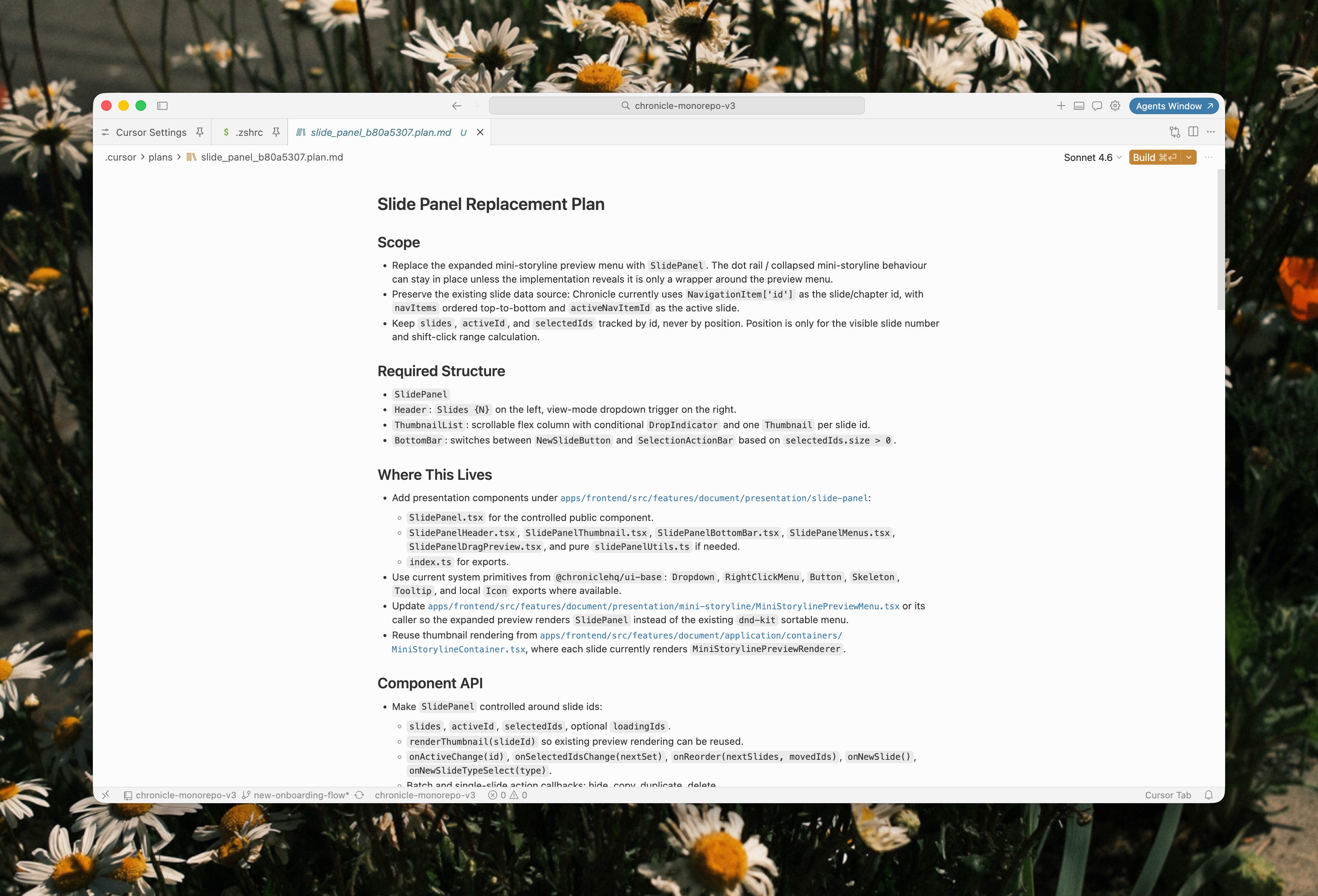
Plan mode → make AI show its working
This is where most people go wrong. They hand the model the brief, it starts coding immediately, and then you’re stuck in a loop of feedback and regret. I’ve had more PRs rejected this way because the engineers were frustrated that it went against principles and patterns already setup in our codebase.
I use plan mode first → I get it to think through its approach.
This chat has the brief, and the context of the codebase. So it should be considering more than what I told it. It should be thinking about architecture, dependencies, existing patterns, what could break, and uses skills that are shared amongst the team.
Then I actually read the plan. I don’t just blindly trust it. I’ll highlight parts of the brief and ask: “Can you go deeper on this? What will this mean for X use case?”
I also ask it to interrogate itself before it touches anything:
“Where are you making assumptions?”
“What could break existing UI?”
“Do you have any concerns with this plan?”
Often it will catch a mistake in its own reasoning and amend.
Bonus: reading the plan is also how I’ve learned how our codebase is structured. It’s how I’m building my technical fluency without needing to become a full-time engineer to ship.
Skills.md
The model fails when it lacks the context and intuition that lives in your head and nowhere else. So instead of constantly re-explaining myself, I started writing my heuristics in a skills file.
A skills file is a set of heuristics, your personal design rules and taste, codified in a way the AI can actually use. It’s how you avoid purple gradients, boilerplate layouts, that default Claude design look. And it’s how you stop repeating yourself in every new chat.
To help you along, check out the skill-creator skill from Anthropic.
After you’ve packaged your taste into a skill, you can feed it to your coding agents.
What goes in a skills file?
This is your personal file, so it can include anything you want. Think about the feedback you constantly provide AI, like “exit animations should always be twice as fast as the entry animation”.
Mine includes: design principles, tone of voice, typography pairings, layout instructions, motion guidelines, defaults that I like, and when I want it to ask my opinion first before executing.
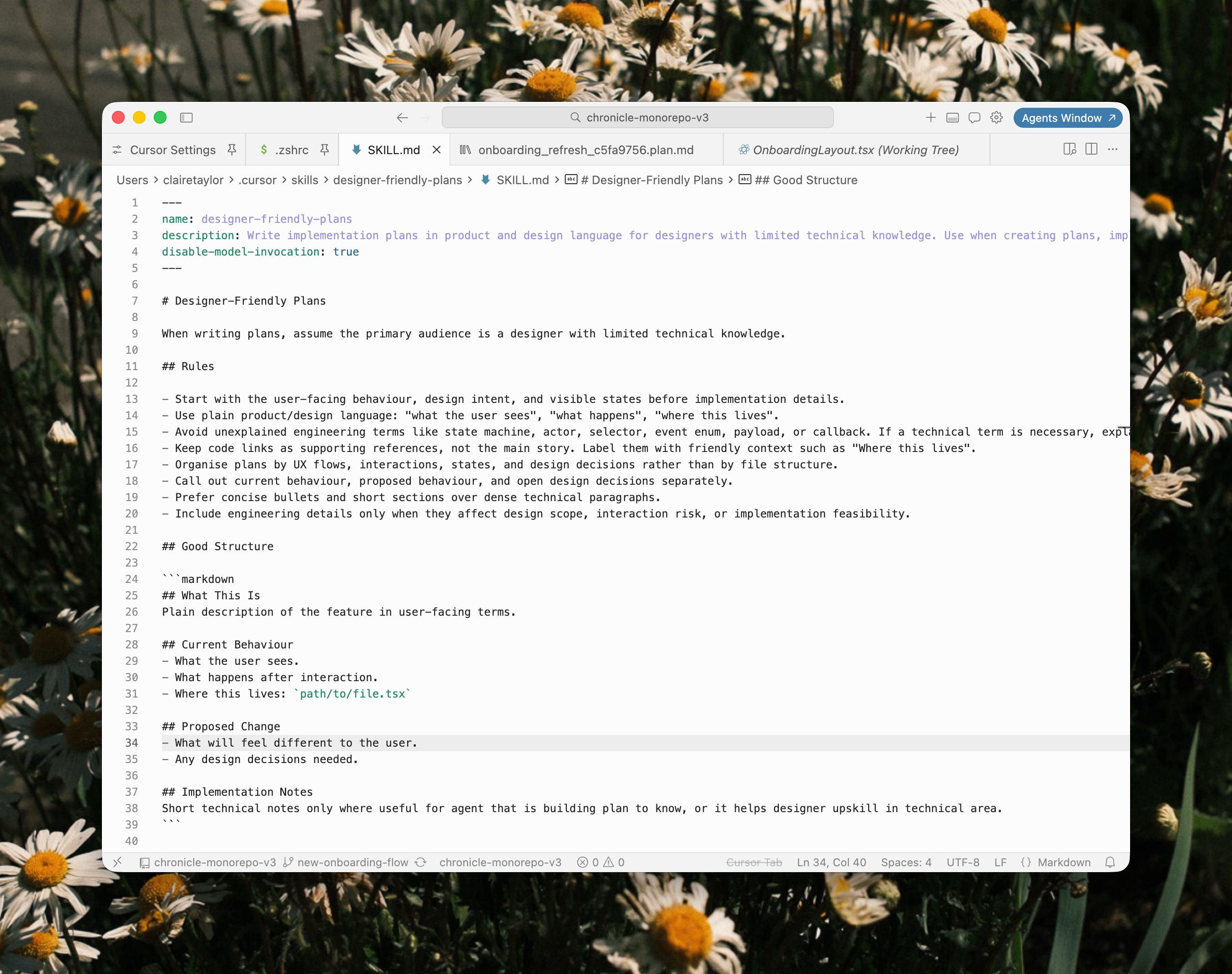
You can make skills for specific tasks, like this one I’ve created that turns Cursor’s Plan Mode into something that I can understand and read without needing to be an engineer. 👇
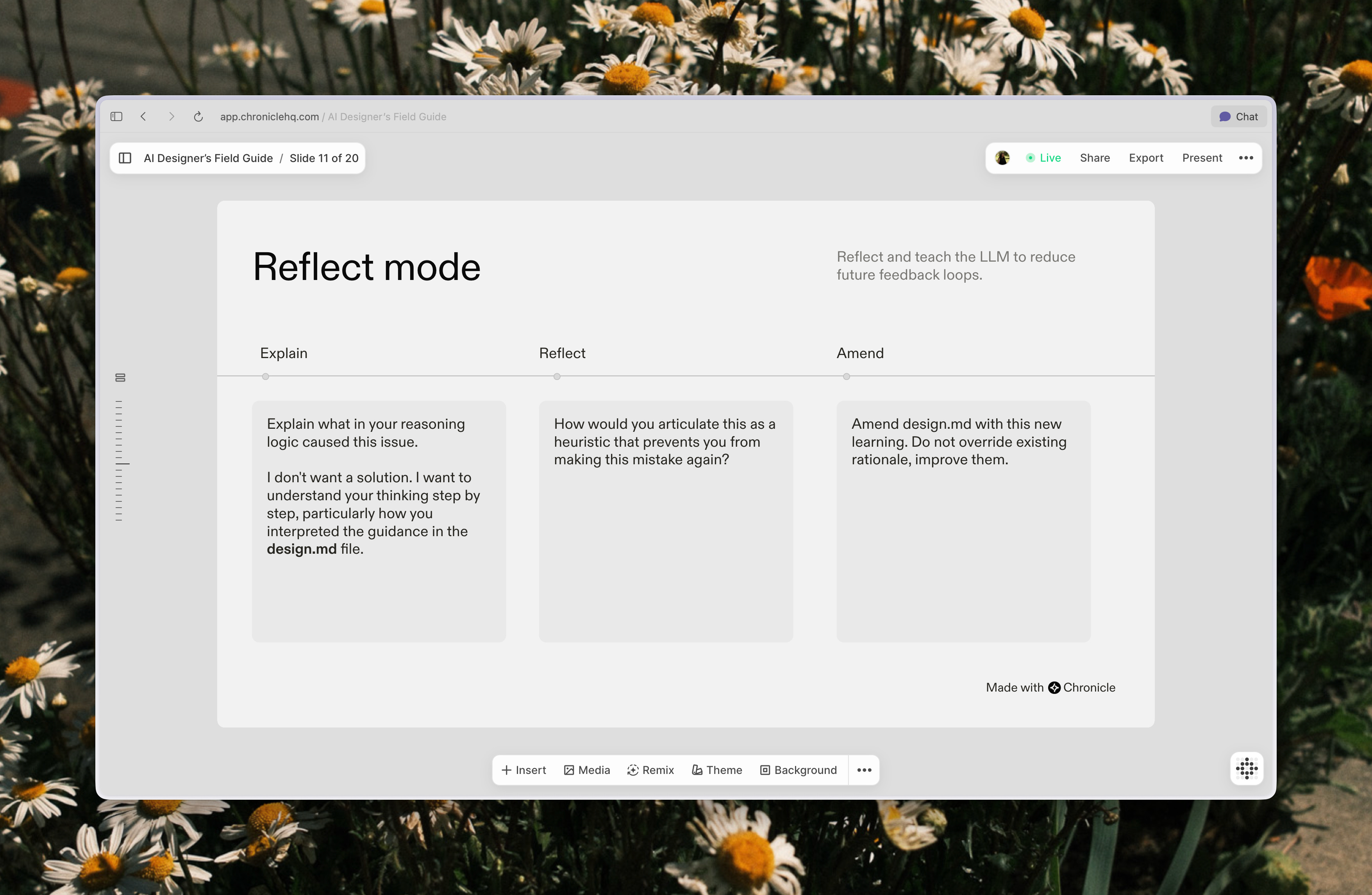
Reflect mode → turn failures into reusable rules
When something goes wrong, instead of just fixing it, I switch into what I call reflect mode. The workflow:
Ask it to explain its reasoning (so I can see where it went off track)
Ask it to define a rule that would avoid that mistake next time
Update the skills file with that rule
That’s what I’m trying to build with AI: a tighter feedback loop where failures turn into heuristics I can reuse.
If you only take one thing from this post… Treat the first prompt like a design brief.
Start with “here’s the context, here are the constraints, here’s what good looks like.”
And if you’re not sure what details matter yet, use this line:
“What do you need from me to do a better job?”
It turns the model from a vibes-based autocomplete machine into a collaborator that pulls the missing context out of your head before it starts shipping assumptions.
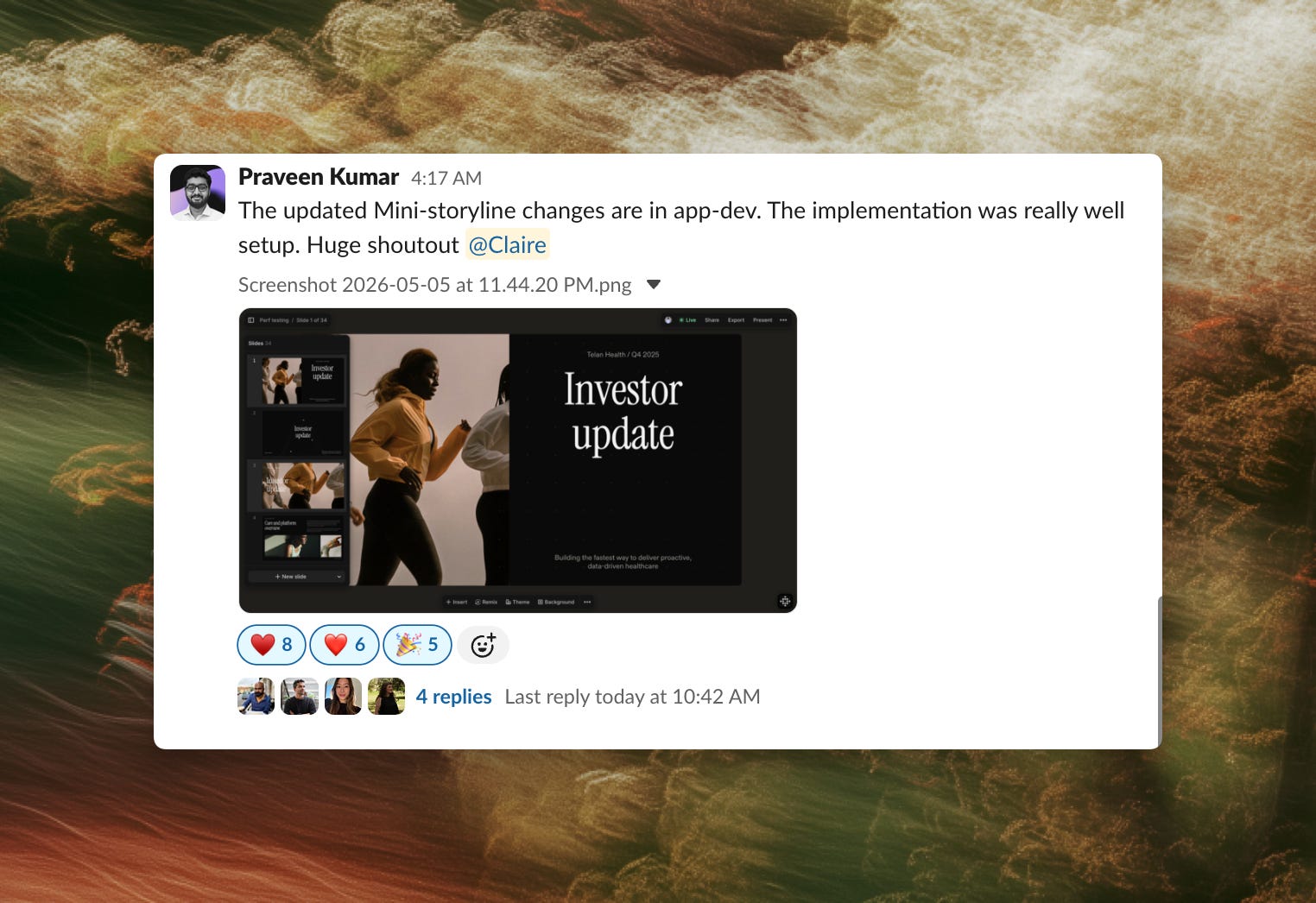
Learning how to prompt well is the difference between you being seen as a “vibe-coder” vs a true builder.
The proof of that is in this recent feedback I received from an engineer about a feature I prototyped, planned and built with AI. And this feature only took a few days (and most of that was spent on the initial concept design upfront).
I’m always learning and iterating on my workflow, I’m sure this post will age like milk as models change. I’d love to hear any tricks or prompts you’ve tried while briefing an AI agent to build your ideas!
This is Part II of turning my Friends of Figma talk into a series of tips and techniques to help others on their journey of building and designing with AI.
Read the other posts:
x Claire